
Print Asset Report Selection
 Reference Contents > Ledgers Nominal or General Ledger > Print Asset Report Selection
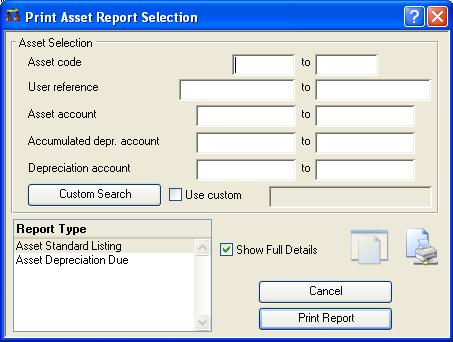
Asset Register reviews can be printed from a range of assets or G/L accounts using this function.
Enter a selection range in the dialogue presented, in the normal manner. You can restrict the transactions that are listed for each account by entering a restrictive range in the lower part of the dialog.
|
Field |
Description |
|---|---|
|
Selection range |
See the Asset Selection subwindow. |
|
Report type |
Select a report type. |
|
Use custom |
To turn on and off the use of the custom search design. |
|
Button |
Action |
|---|---|
|
Custom Search |
Click to design your own special search. |
|
Print Report |
Will cause a report to be printed of the subject matter. You can change the Destination of the report by selecting the ‘Report Destination’ menu command. |
|
Cancel |
Aborts the process currently in session. The keyboard equivalent is the Esc key for Windows computers and Command-.(full stop or period) for the Mac. |
| See also: – |
Compiled in Program Version 5.10. Help data last modified 4 Jun 2012 04:47:00.00. Class wAcGlAssPrint last modified 17 Oct 2017 04:29:53.
Reference Contents > Ledgers Nominal or General Ledger > Print Asset Report Selection