
Find and Replace Text
 Reference Contents > Manager Controls > Find and Replace Text
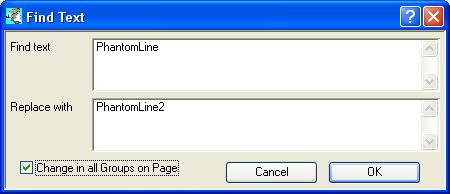
This window open on operation of the Find And Replace context menu.
|
Field |
Description |
|---|---|
|
Find text |
The text you want to find matches for. |
|
Replace with |
The text you want to replace the found text with. |
|
Change in all occurrences |
Check to carry out multiple find and replace actions. |
|
Button |
Action |
|---|---|
|
Cancel |
Aborts the process currently in session. The keyboard equivalent is the Esc key for Windows computers and Command-.(full stop or period) for the Mac. |
|
OK |
The OK button updates the data you have entered, or confirms the selection and/or processes the function you have called. |
| See also: – |
Compiled in Program Version 5.10. Help data last modified 17 May 2012 08:50:00.00. Class wFindAndReplace last modified 18 Feb 2015 01:54:40.
Reference Contents > Manager Controls > Find and Replace Text