
Sales Document Configuration Results Tool
 Reference Contents > Manager Controls > Sales Document Configuration Results Tool
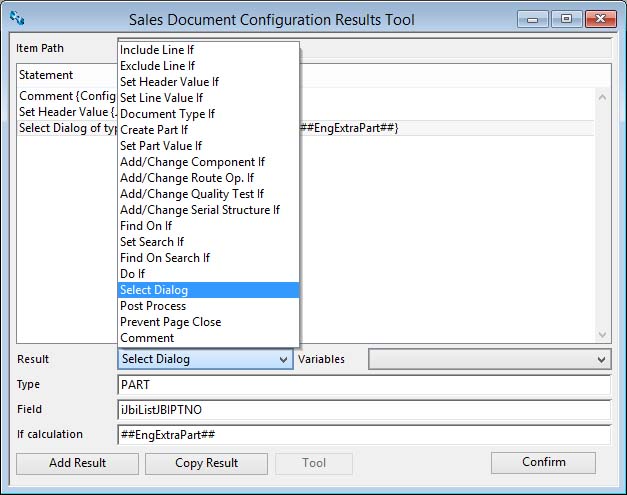
This window operates in conjunction and interactively with the Sales Document Configuration Maintenance window. It provides a tool to construct a set of results associated with an order configuration element. For details of the way Results works see the maintenance help.
|
Field |
Description |
|---|---|
|
Path |
The item path in the order configuration to which the results apply. |
|
Statements |
List of result statements. |
|
Result dropdown list |
Select from the dropdown list the result statement you want to use. |
|
Variables dropdown list |
Select a variable to use in a calculation. |
|
Value |
The value or calculation that creates the value. |
|
Calculation |
The calculation for the statement. |
|
If Calculation |
The calculation for the If statement. |
|
Button |
Action |
|---|---|
|
Add Result |
Click to add another result. |
|
Copy Result |
Click to copy the current result. |
|
Tool |
Click to use a tool to setup header, line, part, BoM, route operations, quality test and serial number structure values. |
|
Confirm |
Click to load the results into the configuration. |
 NOTE: Caliach Subscription Support does not extend to the design of Sales Document Configurations.
| See also: – |
Compiled in Program Version 5.10. Help data last modified 24 Apr 2012 06:50:00.00. Class wSOConfigResults last modified 6 Oct 2017 05:28:04.
Reference Contents > Manager Controls > Sales Document Configuration Results Tool